
Use configured call routes and supported languages to capture the reason, urgency, and intended next step.
AI receptionist for configured call coverage
Stop losing serious callers to voicemail.
Receptionist Max can answer configured call routes around the clock, converse in supported languages, qualify what callers need, and move opportunities toward appointment requests, transfers, or follow-up. Your team gets one clear portal for conversations and next steps.
Around-the-clock answering for configured routes
Supported-language detection and switching
Hosted portal with an optional WordPress connection
Fastlive call response
Flexiblecall coverage
Free personalized preview
See what your receptionist can learn before you sign up.
Enter your public website. Receptionist Max will organize the business details your callers are most likely to ask about and show exactly where each detail came from.
No accountPreview first
Public pagesSource-linked
Review firstNothing auto-imported
Start with your website
Build my business preview
We will read up to four useful public pages and organize the strongest business facts using the same categories as the full platform scan.
Business overview
Services
Hours
Contact details
FAQs
Building your preview
Connecting safely to your website
Checking the public website address and preparing the scan.
- 1Connect
- 2Read
- 3Organize
- 4Preview
Personalized preview ready
Your business preview
0pages read
0details found
Your receptionist could prepare for questions like:
Turn this preview into your working receptionist.Create your account, run the complete scan, approve the details, and test real answers before launch.
Ready to answer the next opportunity?
Prepare an AI receptionist for configured call routes and keep calls, leads, and next steps organized.
Flexiblecall coverage
Autolanguage switching
Qualifiedlead intake
Oneoperations portal
Calls, qualified leads, bookings, transfers, transcripts, and follow-up stay connected instead of disappearing into voicemail.
Add knowledge in the portal or connect WordPress, place a test call, and improve answers using real conversation history.
Command center
One front desk that answers, qualifies, and keeps work moving.
Receptionist Max handles the full caller journey: understand the request, answer from approved knowledge, route urgency, book the next step, and give your team the context to follow through.
AI call answering
Supported languages
Lead details
Appointment requests
WordPress sync
WooCommerce knowledge
Transcripts
Owner assist
Billing + usage
Live feature stack
Ready
Configured call coverage
Answers configured call routes
Receptionist Max can answer configured after-hours, overflow, and busy-period call routes so callers receive a consistent greeting.
Caller identified
Intent captured
Follow-up routed
Automatic multilingual calls
Meet callers in a supported language they choose.
When a caller speaks another supported language, Receptionist Max detects it from the conversation and responds naturally—without a phone-tree menu or a separate language setup. If the caller switches languages, the receptionist switches with them.
Detection and switching for supported languages
Approved business answers translated naturally
Names, numbers, prices, and plan details preserved
Configured routing rules and safeguards applied
Language detected automatically
Live
¿Pueden ayudarme a reservar una cita?
Claro. ¿Qué día le viene mejor?
Approved booking flow · spoken in caller language
Supported languages vary by configuration; confirm your required languages during setup.
Missed-call revenue estimator
See the cost of calls that slip through.
Enter a rough call count and average customer value to frame the opportunity. The estimate helps teams understand the upside of faster answering and follow-up.
Estimated monthly opportunity
$3,750
Start capturing calls
Illustrative only. This multiplies the values you enter and does not predict recovered calls or revenue.
Made for high-value conversations
Where an answered call can become real revenue.
For service businesses, clinics, professional teams, and local operators, one missed call can mean a missed job, appointment, consultation, or order.
Capture urgent jobs while the crew is busy.
Qualify callers, collect service details, location, urgency, callback needs, and routing notes while keeping after-hours and overflow calls from falling through the cracks.
- Urgent-job and routine request intake
- Service areas, hours, and booking links
- Owner assist for high-priority callers
Keep appointment intent organized.
Collect caller reason, timing, contact details, booking requests, reminders, and escalation notes while keeping the receptionist behavior consistent with business rules.
- Appointment request capture
- Staff and availability notes
- Transfer and callback paths
Prioritize serious leads and consultations.
Screen caller needs, record context, route urgent matters, protect follow-up details, and make transcripts and summaries searchable inside the portal.
- Lead qualification and callback requests
- Searchable call history and transcripts
- Follow-up visibility for the team
Give lean teams a front desk system.
Use one portal for caller intake, customer follow-up, knowledge updates, plan status, call-minute usage, premium voice, launch checks, and account health.
- Clear launch path
- More automation as the team grows
- Billing, usage, and account health clarity
A front desk your team can actually run
Launch with clear controls. Keep calls and follow-up visible.
Set up the business, phone path, approved knowledge, routing, and test calls in one guided flow. Run Receptionist Max from the hosted portal, connect WordPress when useful, and keep calls, leads, bookings, follow-up, billing, and usage in one place.
Guided launch without tech guesswork
The launch flow walks customers through the account, business profile, phone path, website knowledge, and first call test in the right order.
WordPress knowledge stays connected
Approved pages, posts, FAQs, products, service areas, hours, and booking links can feed the receptionist without making teams maintain duplicate content.
Scales from call coverage to revenue operations
As call volume grows, the same portal supports premium voice, integrations, shared follow-up, automations, revenue visibility, and quality review.
Launch path
Website knowledge connected
1Create the account and profileAdd the business profile, contact details, hours, service areas, and launch preferences
2Connect the website and phone pathLink approved website knowledge and prepare the receptionist number for testing
3Train Receptionist MaxChoose pages, posts, FAQs, products, images, service areas, hours, booking links, and priority call instructions
4Test, launch, and improvePlace test calls, review answers, then track calls, leads, bookings, usage, billing, voice, and account health
How the plugin and portal stay aligned
For connected WordPress sites, approved content and receptionist instructions stay aligned with the plugin. The portal keeps account access, billing, calls, leads, voice, and account health in one place.
Start Guided Setup
Complete call operations
One front desk platform from first call to follow-up.
Receptionist Max covers the full call operations path in one system: answer, qualify, route, book, train, review, automate, and control.
AI phone answering for configured routes, overflow coverage, after-hours support, and consistent caller experiences.
Caller reason, urgency, contact details, lead quality, callback requests, and routing notes.
Live transfer paths, owner assist, priority rules, service areas, and escalation notes.
Booking links, appointment intent, staff notes, reminders, and booking follow-up.
WordPress pages, posts, FAQs, WooCommerce products, images, hours, service areas, and priority instructions.
Call history, transcripts, summaries, failed-call notices, outcomes, and searchable lead activity.
CRM delivery, saved replies, shared inbox tasks, follow-up workflows, Zapier or Make handoffs, and delivery visibility.
Usage wallet, billing portal access, plan status, premium voice, team access, safeguards, and account health.
Everything behind the call
Turn conversations into clear next steps.
Answer the call, understand the caller, use approved business knowledge, complete the right action, and give your team the context to follow through.
AI phone answering
Answer callers after hours, during busy periods, and when the team cannot pick up, with live-transfer and callback paths built in.
WordPress knowledge sync
Sync selected pages, posts, FAQs, WooCommerce products, product images, service areas, business hours, booking links, and priority instructions.
Lead qualification and routing
Capture names, phone numbers, reasons for calling, urgency, callback needs, and routing notes so serious opportunities move quickly.
Call history and transcripts
Review call outcomes, summaries, transcripts, transfers, failed-call notices, and lead activity from a searchable portal.
Usage and billing controls
Track plan status, call-minute usage, wallet balance, billing portal access, add-ons, and auto-recharge settings.
Premium voice upgrade
Upgrade to a more natural live-call voice experience for teams that want a higher-end caller interaction.
Bookings support
Support appointment requests, booking links, staff availability notes, reminders, and booking follow-up from the portal.
Integrations and automations
Connect follow-up workflows, shared inbox tasks, CRM/app delivery, saved replies, and owner-assist actions as operations grow.
Owner assist and live routing
Escalate urgent callers, transfer live requests, collect callback details, and keep owner-assist tasks visible.
Revenue Radar
Highlight high-intent callers, callback risk, repeat questions, follow-up gaps, and opportunities worth owner attention.
Supported multilingual calls
When enabled for a supported language, detect the caller’s language, respond naturally, and switch when the caller changes languages.
Team settings and safeguards
Control voice behavior, hours, transfer rules, notifications, team access, escalation paths, and account safeguards from protected settings.
Trust, safeguards, and control
Control the call experience before and after go-live.
Receptionist Max keeps important controls visible: calls can be reviewed, usage is clear, escalation paths stay defined, and advanced features can be added as operations grow.
Sensitive connection details stay protected behind account controls.
Test calls help verify greetings, answers, routing, lead capture, and booking paths before launch.
Portal views keep call history, transcripts, billing, usage, premium voice, and account health visible.
Human transfer, callback, and owner-assist paths stay visible for priority callers.
Launch checklistReviewConnect → Train → Test → Improve
Account controlsVisiblePlan, wallet, usage, add-ons, and billing access.
Safety pathsEscalation-readyTransfer, callback, escalation, and question review.
Customer portal
A customer portal that makes call operations easy to manage.
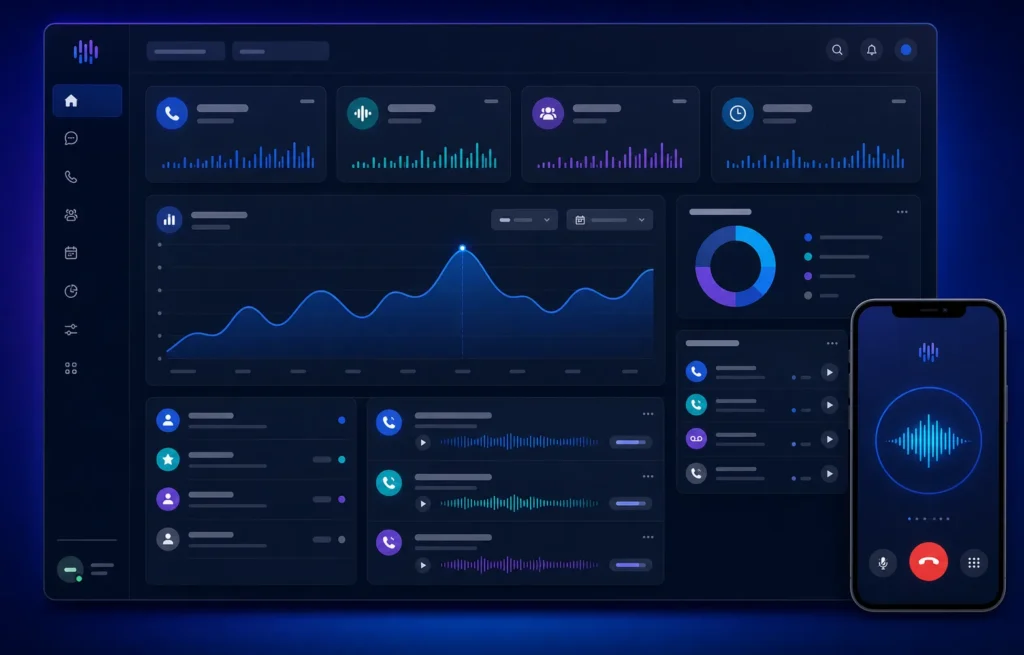
Home, Launch Center, Knowledge, Inbox, Calls & Leads, Bookings, Integrations, Revenue Radar, Settings, Billing, and Usage work together in one clean command center.
Home
A daily command center for calls and follow-up
See launch progress, recent activity, next actions, unread inbox items, call outcomes, and account alerts in one place.
Launch Center
A clear path from account setup to live calls
Walk through account setup, business profile, phone number, knowledge sync, billing, test calls, and final launch checks in order.
Knowledge
Business knowledge that stays current
Use approved website sources, FAQs, products, services, hours, and instructions while the portal shows sync status, answer gaps, and improvement opportunities.
Inbox
Shared inbox for owner-assist and follow-up
Keep caller follow-ups, saved replies, internal notes, owner-assist requests, and customer messages in one place.
Calls & Leads
Review caller and lead details
Search recent calls, lead details, outcomes, transcripts, summaries, transfers, failed-call notices, callback requests, and follow-up status.
Bookings
Appointment requests and booking support
Review booking requests, service rules, staff availability notes, reminders, no-shows, and booking follow-up in one place.
Integrations
Connect the tools customers already use
Connect CRM, calendar, Slack, Zapier, Make, Sheets, saved replies, workflow previews, and app delivery as operations grow.
Revenue Radar
Spot high-intent callers and missed opportunities
Highlight serious leads, callback risk, follow-up gaps, repeat questions, and opportunities that need owner attention.
Settings
Behavior, voice, safeguards, and team access
Control receptionist style, transfer rules, hours, notifications, automation preferences, privacy, safeguards, team access, and Premium AI Voice settings.
Billing & Usage
Plan, wallet, phone number, and usage in one view
View current plan, wallet balance, call-minute usage, billing portal access, phone number status, add-ons, and auto-recharge controls.
How it works
Go live with call coverage without guesswork.
01
Choose the right plan
Select the call volume and support level that fits the business, then move through a guided launch checklist.
02
Add business information
Confirm business details, hours, routing, service areas, booking/contact links, FAQs, and WordPress knowledge sources.
03
Place a test call
Practice common caller questions, verify lead capture, check routing and booking links, and tune answers before sending live callers.
04
Monitor and improve
Track calls, leads, bookings, unanswered questions, follow-up activity, usage, billing, integrations, and account health from the portal.
Pricing
Plans for launch, growth, and higher call volume.
Start on Flex at $0/month, or choose Starter, Pro, or Agency for more included minutes and lower usage rates. Flex includes one Standard Voice test call lasting up to 5 minutes; Starter and Pro receive a $10 call-testing credit and begin with a 7-day launch trial. Premium AI Voice is included with Pro and Agency.
$0/mo
For trying a real receptionist or covering light, irregular call volume without a monthly platform fee.
- No monthly platform fee
- 69¢ per started Standard AI minute
- One Standard Voice test call for new accounts (up to 5 minutes)
- AI answering, caller intake, knowledge training, and call history
- Standard Voice only; move to Starter or higher for Premium AI Voice
$99/mo
For small businesses that need configured around-the-clock call answering, caller intake, and lead capture without hiring another front desk seat.
- 250 Standard AI call minutes included; then 45¢ per started minute
- 7-day launch trial + $10 call-testing credit
- Guided launch checklist
- AI phone answering, knowledge training, transcripts, and leads
- Premium AI Voice: $29/month; included minutes apply first, then 59¢ per started minute
$199/mo
For growing teams that need more included minutes, stronger knowledge coverage, booking support, integrations, and revenue visibility.
- 600 Premium AI call minutes included; then 39¢ per started minute
- 7-day launch trial + $10 call-testing credit
- Everything in Starter
- Advanced knowledge, bookings, integrations, Revenue Radar, and quality review
- Premium AI Voice included at no extra monthly charge
$399/mo
For higher-volume teams and agencies that need advanced routing, deeper reporting, and dedicated onboarding.
- 1,500 Premium AI call minutes included; then 29¢ per started minute
- Everything in Pro
- Premium AI Voice included at no extra monthly charge
- Advanced call volume, routing, reporting, and review support
- Dedicated launch onboarding and priority account support
Ready from day one
New Flex accounts receive one Standard Voice test call lasting up to 5 minutes. Starter and Pro receive a $10 call-testing credit and include a 7-day launch trial. Agency receives no signup wallet credit; its included minutes unlock after a payment method is saved. Calls with 15 or fewer AI seconds, including silent hangups, are not charged; longer calls are rounded up to the next whole minute. Premium AI Voice uses the same included-minute allowance first, then the plan’s published Premium rate.
Live product test
Put Receptionist Max to the test.
Start with your phone number. Then add your name and email in two quick steps so the live demo can call you and send the transcript to the right place.
Request a real voice demo
Short guided request form
Recap by email when available
Receptionist Max uses AI. It is not an emergency service; callers needing immediate emergency help should contact local emergency services.
Instant demo callbacks are temporarily paused. Please try again later.
FAQ
Questions businesses ask before choosing Receptionist Max.
You create an account, confirm business details, connect WordPress if needed, choose knowledge sources, place a test call, and then send real callers to your receptionist number.
Yes. Add approved business details, FAQs, services, hours, products, booking links, and call instructions in the portal. If you use WordPress or WooCommerce, the connector can keep selected website knowledge synced automatically.
Yes. Important callers can be transferred or routed for callback, and unanswered questions can be flagged so your team can follow up.
Yes. The portal shows conversations, callback leads, booking activity, call outcomes, usage, plan details, wallet balance, premium voice status, WordPress sync status, and account health in one place.
No. It can help during business hours, after hours, busy periods, missed calls, and overflow situations when your team cannot answer immediately.
You confirm business details, choose knowledge sources, set routing preferences, place a test call, and manage calls from the portal. The connection details stay behind the scenes.
Yes. The platform can capture booking intent, use booking links, collect appointment details, surface staff or service notes, and keep booking-related follow-up visible in the portal.
It is built around phone calls, caller intake, routing, transcripts, lead follow-up, booking support, knowledge sync, billing visibility, usage tracking, and call operations rather than a single website chat widget.
Yes. The launch path starts with account setup, business basics, knowledge, and a test call. Integrations, Revenue Radar, premium voice, and quality review can be introduced as operations grow.
Receptionist Max can detect and respond in supported languages when that capability is configured. Confirm the currently supported language list and your required call flows during setup.
Be ready for the next caller
Help answer more serious calls—day or night.
Start with guided setup, add approved business knowledge, place a test call, and prepare a front desk designed to turn more conversations into organized next steps.
Practical resources
Explore all articles
Make a better decision about every business call.
Use clear cost frameworks, call-flow examples, and testing checklists—not vague promises—to choose and configure your receptionist.

AI receptionist for small business
AI Receptionist for Small Business: A Practical Guide
Learn how an AI receptionist can handle calls, capture leads, support appointment requests, and assist a small business, plus how to evaluate one safely.
Read the guide
real estate answering service
Real Estate Answering Service: A Guide for Agents and Brokerages
Choose a real estate answering service for buyer and seller leads, listing inquiries, showing requests, fair routing, after-hours calls, and testing.
Read the guide
electrician answering service
Electrician Answering Service: A Safe Call-Handling Guide
Plan an electrician answering service for service requests, safety-sensitive calls, dispatch rules, after-hours coverage, accurate intake, and testing.
Read the guide